FuggySemiRealisitcMerge
FuggySemiRealisitcMerge 1.0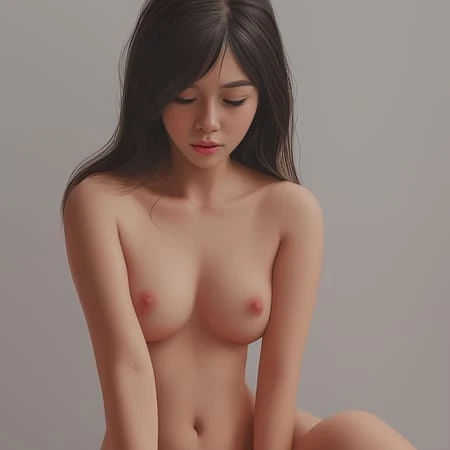


note from fuggy, the original poster: I have left Civitai due to corrupt and authoritarian moderation and will not be uploading here anymore, if you want new models, update, etc. Please go here, I'm sorry for the inconvenience
note from Civitai: Original images posted for the model were reported multiple times for depicting children. Images were removed and the user was prompted to upload images that were age-appropriate, as the model is to showcase a piss fetish, changing the age of the individuals in the images shouldn't be an issue.
I mixed Izumi, OrangeMix2_hard, HassanBlend, Samdoesarts to what I think is a fairly interesting result it's meant to be semi-realistic, yet more artistic and vibrant in nature. However the results are quite mixed in quality, have great patience expect 9/10 to be terrible and 1 of them to be good. I recommend using vae-ft-mse-840000-ema-pruned.vae as funny enough gives a more artistic look I think strangely. I hope you enjoy it. :333
What is FuggySemiRealisitcMerge?
FuggySemiRealisitcMerge is a highly specialized Image generation AI Model of type Safetensors / Checkpoint AI Model created by AI community user civitai. Derived from the powerful Stable Diffusion (Other) model, FuggySemiRealisitcMerge has undergone an extensive fine-tuning process, leveraging the power of a dataset consisting of images generated by other AI models or user-contributed data. This fine-tuning process ensures that FuggySemiRealisitcMerge is capable of generating images that are highly relevant to the specific use-cases it was designed for, such as girl, girls, semi-realistic.
With a rating of 0 and over 0 ratings, FuggySemiRealisitcMerge is a popular choice among users for generating high-quality images from text prompts.
Can I download FuggySemiRealisitcMerge?
Yes! You can download the latest version of FuggySemiRealisitcMerge from here.
How to use FuggySemiRealisitcMerge?
To use FuggySemiRealisitcMerge, download the model checkpoint file and set up an UI for running Stable Diffusion models (for example, AUTOMATIC1111). Then, provide the model with a detailed text prompt to generate an image. Experiment with different prompts and settings to achieve the desired results. If this sounds a bit complicated, check out our initial guide to Stable Diffusion – it might be of help. And if you really want to dive deep into AI image generation and understand how set up AUTOMATIC1111 to use Safetensors / Checkpoint AI Models like FuggySemiRealisitcMerge, check out our crash course in AI image generation.
Popularity
Info
Version FuggySemiRealisitcMerge 1.0: 1 File
About this version: FuggySemiRealisitcMerge 1.0
First release
1 Version
Go ahead and upload yours!


