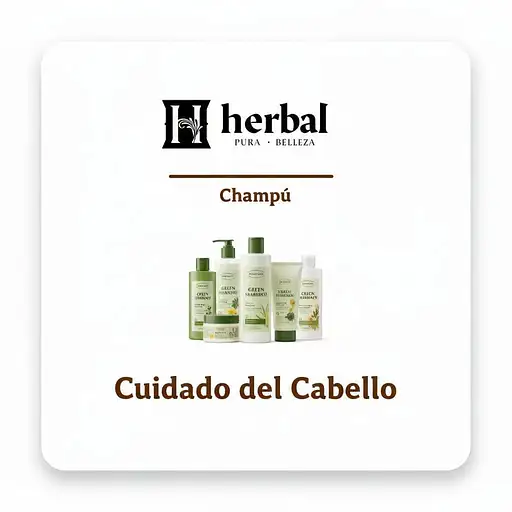
3 months ago remove the words "Green Pharmacy" and use the input image with the words "Herbal" to create an image similar to like the input one of "Green Pharmacy" that represent a category section selcix 0 26
3 months ago remove the words "Green Pharmacy" and use the input image with the words "Herbal Pura Belleza" to create an image similar to like the input one of "Green Pharmacy" that represent a category section selcix 0 19
3 months ago using the face of the input image create an image of a woman of promoting beauty hair products in a showroom for social media ads selcix 0 49
3 months ago using the face of the input image create an image of a woman of promoting beauty hair products in a showroom for social media ads selcix 0 35
3 months ago using the face of the input image create an image of a woman of promoting beauty hair products in a showroom for social media ads selcix 0 38
3 months ago using the face of the input image create an image of a woman of promoting beauty hair products in a showroom for social media ads selcix 0 28
22 hours ago Using the input image, generate a badge to show DevOps / DevSecOps, that is professional, clean, sleek, and demonstrates competency. Use Canadian colours and symbolism. BadgeGenerator 0 2
22 hours ago Using the input image, generate a badge to show DevOps / DevSecOps, that is professional, clean, sleek, and demonstrates competency. Use Canadian colours and symbolism. BadgeGenerator 0 3
22 hours ago Using the input image as a template only, generate a badge to show DevOps / DevSecOps, that is professional, clean, sleek. Use Canadian colours and symbolism. BadgeGenerator 0 3
22 hours ago Using the input image as a template only, generate a badge to show DevOps / DevSecOps, that is professional, clean, sleek. Use Canadian colours and symbolism. BadgeGenerator 0 3
2 months ago Using the input image please generate a series of badges with different metals for the outer ring, one ring colour per image, leave everything else the same. BadgeGenerator 0 13
22 hours ago Using the input image, change the colours, remove the moose, and don't mention Canadian Innovation. BadgeGenerator 0 3
22 hours ago Using the input image, change the colours, remove the moose, and don't mention Canadian Innovation. BadgeGenerator 0 5
2 months ago Using the input image, change the outer rim to a tarnished gold colour, change any occurrence of 102 to 103, and Level 2 to Level 3 BadgeGenerator 0 13
21 hours ago Using the input image, change the colours, make them Canadian colours, and add some light Canadian symbolism. BadgeGenerator 0 3
2 months ago Using the input image, change the outer rim to a tarnished / aged rose gold colour, change 102 for a star in a tarnished / aged rose gold colour, change Level 2 for Certified, and change flower / leaf print for stars in the same rose gold colour. BadgeGenerator 0 23
2 months ago Using the input image generate a 102-style badge, that shows slightly more competence. Make sure all occurrences of 101 are replaced with 102. BadgeGenerator 0 16
2 months ago Using the input image, change the dark coloured areas to bronze, and update all occurrences from 101 to 102. BadgeGenerator 0 25
11 days ago Using the input image, add some beavers, and a moose, but keep the general theme and style the same. BadgeGenerator 0 8
2 months ago Using the input image, change the outer rim to a wood texture and walnut colour, change any occurrence of 102 to 103, and Level 2 to Level 3 BadgeGenerator 0 15
2 months ago Using the input image, change Level 1 to Level 2, leave everything the same BadgeGenerator 0 23
14 days ago Generate a logo for a company called the “Open Technology Canadian Bureau”, it should be Canadian themed, professional, sleek, have Canadian symbology, include blockchain symbolism, and instill trust. Don't use the input image. BadgeGenerator 0 8
22 hours ago Using the input image, change outer colours, add more Canadian symbolism, including leafs and animals. BadgeGenerator 0 3