Model Information
.jpeg&w=1920&q=75)
.jpeg&w=1920&q=75)
.jpeg&w=1920&q=75)
.jpeg&w=1920&q=75)
.jpeg&w=1920&q=75)
.jpeg&w=1920&q=75)
Description
This lora is basically a 'MAKE THIS BETTER' button : -))))
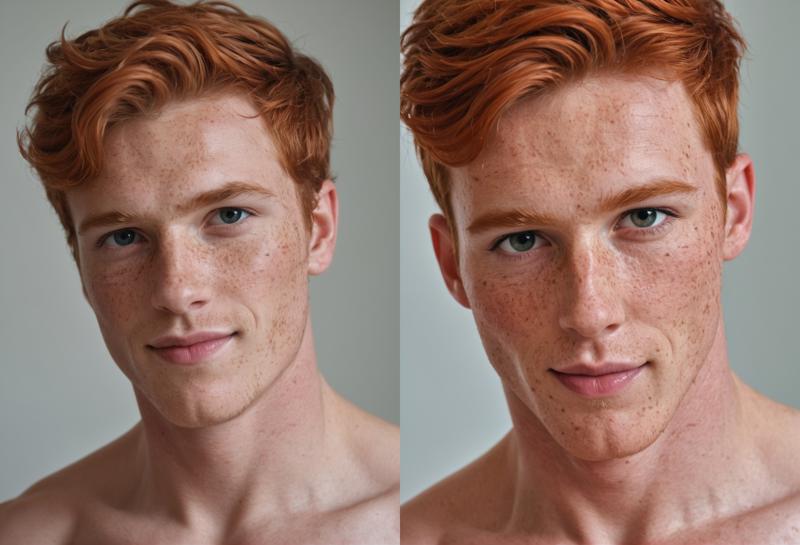
It improves the images in many ways.
It may create changes in the following areas:
lighting
sharpness
details
color grading
composition
esthetics
highlight
saturation
photorealism
texture
emotional expressions/facial expressions
Some platforms need you to add the keyword: 'improved' to your prompt.
BUT others work well without it (Civitai for example makes great pics without the need to add the keyword). If you add it though, it will add certain new aspects to the picture - explore it :)
See how it improves all details and make your picture pop on this side-by-side comparison:
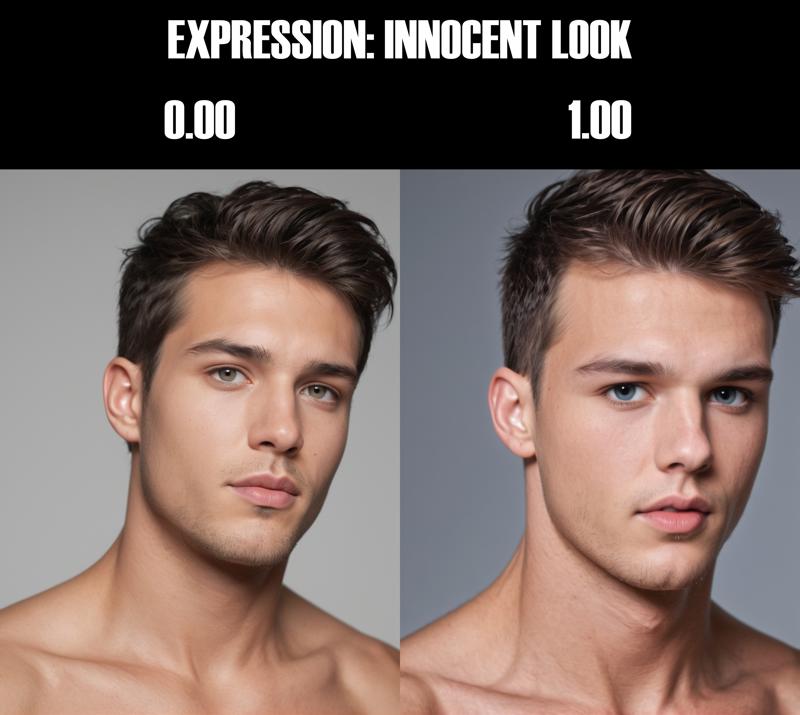
It can change not just details but emotions/facial expressions too:
You can INCREASE and DECREASE these values, so you can also create a less detailed, less realistic picture if that is your goal. This Aladdin picture was too 3D-ish, the goal was to create somthing similar like in the cartoon. So, here you can use the negative side of the lora to achieve this:
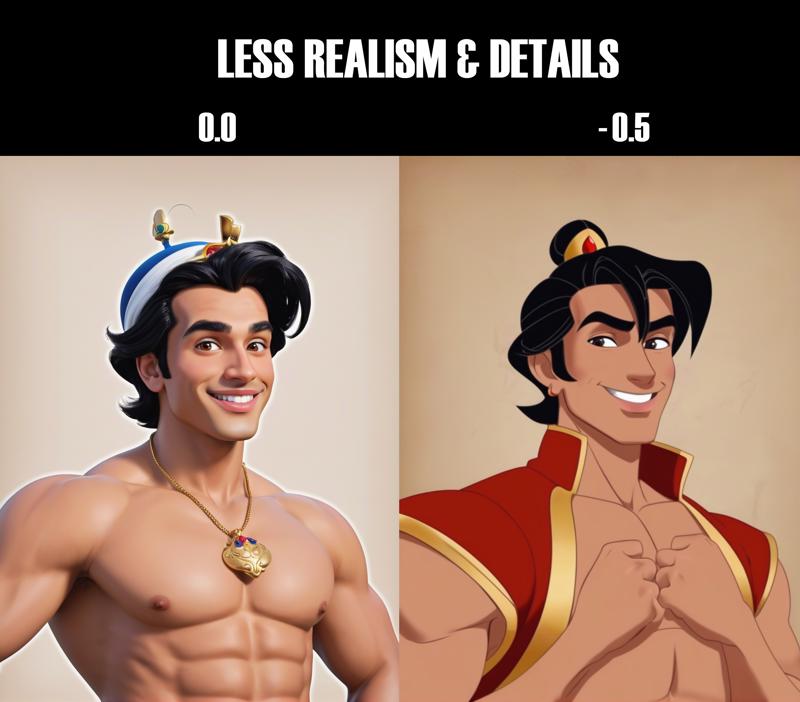
Proposed strength depends on the picture and your aim, in case of not photorealistic pictures (eg. drawing, manga, anime), as little as 0.01 can make visible improvements, too much though will transform the picture into a more photorealistic image, so you want to experiment with the right strength for your needs.
Strength:
SDXL: from 0.01 to 1.00 anything can be used based on your goal. In case photos maybe start around 0.5-0.6, in case of drawings/anime/etc. maybe around 0.1 and the go from there.
FLUX: you can go up to as high as 2.00 for the strongest effect.
The SDXL images were created with my base model:
Photorealistic All-Purpose, Porn and Gay-Friendly XL Model
https://civitai.com/models/659428/photorealistic-all-purpose-porn-and-gay-friendly-xl-model
Have fun exploring!
Adjust details AND photorealism (XL/PONY+FLUX)
Model Details
- Type
- Model Addon
- Subtype
- LoRA
- Created
- Updated
- July 8, 2026