Model Information
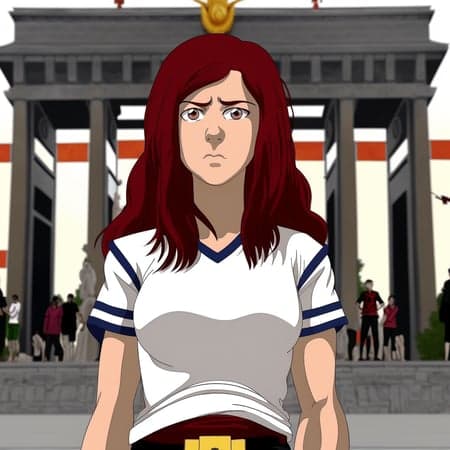
Description
Originally posted to HuggingFace by ai-characters
Feel free to donate to my KoFi to help me fund renting GPU's for further model creation and experimentation! https://ko-fi.com/aicharacters
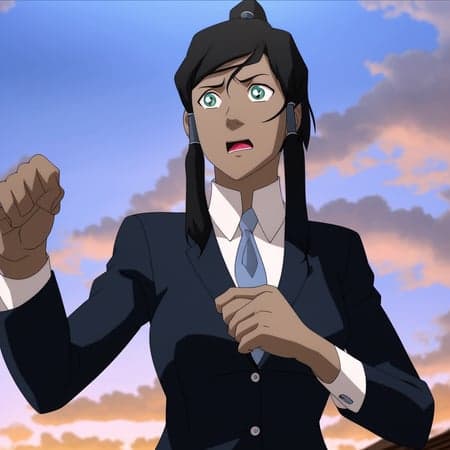
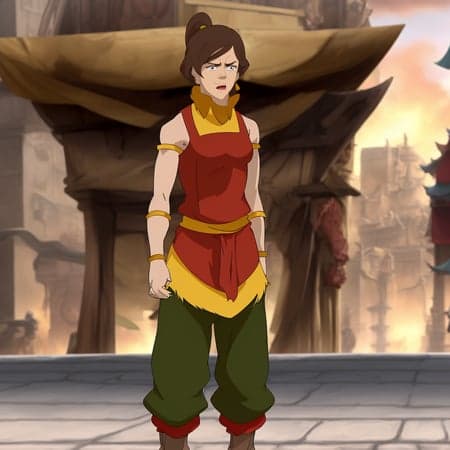
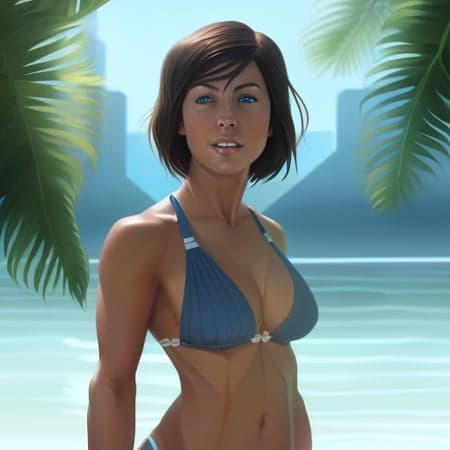
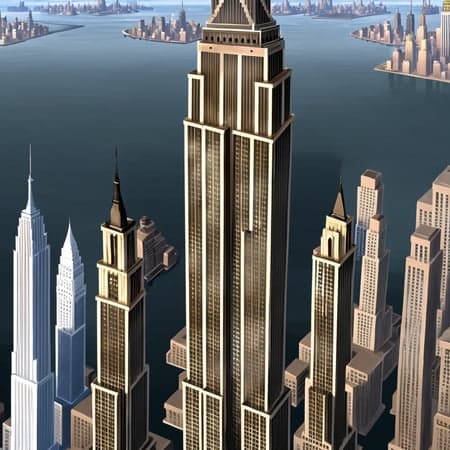
A StableDiffusion All-In-One Legend of Korra style + Korra character Dreambooth model created by AI-Characters. Disclaimer: This model is best used using Automatic1111 WebUI!
--- This model is not yet final! I will keep working on it and trying to improve it! I also welcome anyone to use my uploaded dataset (see at the bottom of this page) to create a better version! ---
Follow me on my social media channels for AI art posts and model updates!
https://www.instagram.com/ai_characters/
https://twitter.com/ai_characters
IMPORTANT INFORMATION BEFORE YOU USE THIS MODEL
I highly recommend using img2img when using this model, either by converting photos into the Legend of Korra artstyle or by resizing your initial 512x512 txt2img Legend of Korra style generations up to 1024x1024 or higher resolutions. Your initial 512x512 txt2img generations using the Legend of Korra artstyle WILL ALWAYS look like crap if you generate shots of characters that are more zoomed out than just a closeup (e.g. half-body or full-shot). Resizing the initial 512x512 generations to 1024x1024 or bigger (full-shots will likely need 1536x1536 to look good) using img2img will drastically improve your experience using this model! For more information see the "How to use" section of this page! This model is much trickier to use than other models, but in return it is very flexible and has high likeness!
Introduction
Welcome to my first ever published StableDiffusion model and the first public model trained on the Legend of Korra artstyle! But not just the artstyle: I have trained this model on Korra, including all of her outfits, as well! In total this model was trained using a manually captioned dataset of 1142 images: screencaps from the show, fanart, and cosplay photos.
I spent every day the last 4 weeks working on this project and spent hundreds of euros renting many many many GPU hours on VastAI to experiment with various parameters. I have created more than 50 ckpt's since then and learned a ton since then and got a ton of insight.
Recommended samplers
EulerA at 20 steps for quick results LMS at 100-150 steps for higher quality results that also follow your prompt more closely
How to correctly use this model (it's not as simple as the other models floating around the web currently!)
This model is not as easy to use as some of the other models you might be used to. For good results prompt engineering and img2img resizing is required. I highly recommend tinkering with the prompt weights, prompt order, samplers, cfg and step values, etc! The results can be well worth it!
My recommendation is to generate a photo in the vanilla SD model, send it to img2img, then switching the model to this one, and using the img2img function to transfer the style to the Legend of Korra style! Also consider inpainting (though this model isn't trained on the new base inpainting model yet)!
I also recommend to keep prompts simple and the "zoom" closer to the character for better results! Though sometimes a highly complex prompt can result in much better generations, e.g. "Emma Watson, tlok artstyle" will almost always produce much worse results than a more complex prompt!
First of all: SD doesn't play well with the artstyle at the standard 512x512. So your initial 512x512 generations in the artstyle will need to be resized to 1024x1024 for half-body shots and 1536x1536 for full-body shots in order to look good. Closeups will look okay in 512x512 but I still recommend upscaling to 1024x1024.
An example:
Initial 512x512 generation
Upscaled to 1024x1024 (with an inpainted face)
Upscaled to 1526x1536 (with an inpainted face)
I recommend using the following negative prompt for all generations (no matter what style, aka it massively improves the tlok artstyle generations as well!): "blur, vignette, instagram"
I have no idea why that works. It just does.
This will drastically reduce the "overtrained effect" of the generations, e.g. too bright, vignetted and fried images.
Examples:
Without the negative prompt:
With the negative prompt:
Only for photos: You can add "photo, tlok artstyle" to the negative prompt for a further reduction in the "overtrained effect"! Having photo in both the positive and negative prompt may sound nonsensical, but it works!
Use "cosplay photo" and not just "photo" in your positive prompt as just "photo" is not strong enough to force through the photo style, while "cosplay photo" is because the captions were trained on that!
Example:
Just "photo"
"cosplay photo"
Add "tlok artstyle" to the negative prompt if you find that the Legend of Korra style is influencing your prompt too strongly!
Tokens to use to prompt the artstyle as well as Korra's different outfits
You can give Korra's outfits also to other people thanks to the token method!
Legend of Korra artstyle:
"tlok artstyle"
The model was trained using captions such as "cosplay photo", "full-shot", "half-body", "closeup", "facial closeup", among others. So use those terms when prompting for stronger effects!
Korra's hairstyles:
- Default ponytail hair = "stada hairstyle"
- Opened hair = "oped hairstyle"
- Loose hair = "loes hairstyle"
- Season4 short hair = "shoa hairstyle"
- Traditional formal hair = "taio hairstyle"
- Season4 formal hair = "foha hairstyle"
- young child Korra hairstyle = "okch hairstyle"
Korra's outfits:
"wearing X outfit"
(the second word are the hairstyles, prompting them alongside the outfit will give you better likeness, but you can also mix and match different hairstyles and outfits together as you see fit at the cost of likeness, though some outfits and hairstyles work better than others in this regard)
- runa shoa (earth kingdom runaway)
- saco stada (default parka)
- aino stada (airnomad (makes her look like a child for some reason))
- fife stada (fireferrets probending uniform)
- eqli stada (equalist disguise)
- boez oped (season2 parka)
- defa stada (default outfit)
- alte stada (season2 outfit)
- asai shoa (Asami's jacket (doesn't work so well))
- taso stada (Tarrlok's taskforce)
- dava oped (dark avatar/season 3 finale)
- seri foha (series finale gown)
- fose shoa (season4 outfit)
- proe stada (probending training attire)
- tuwa shoa (turfwars finale gown from the comics (doesn't work so well))
- cidi stada (civilian disguise)
- epgo taio (traditional dress)
- bafo loes (bath/sleeping robe)
- ektu shoa (earth kingdom tunic/hoodie)
- pama loes (pajamas)
- exci stada (firebending exercise (doesn't work so well))
- as chie, wearing yowi (child korra, winter outfit from the comics)
- as chie, wearing suou (child kora, summer outfit)
Current shortcomings of the model
- the model is infected due to no regularization. This means better likeness but also means that you are better off using the original vanilla SD model for txt2img photo generations and then send them to img2img and switch the model over to this one for style transfer!
- the model may struggle at times with more complex prompts
- location tagging is very rudimentary for now (exterior, day, arctic)
- No tagging of unique locations, e.g. Republic City
- Korra is the only trained character for now
- a few of the outfits don't work that well because of low amount of training images or low resolution images. Generally some outfits, people, things, styles and prompts will work better than others
- likeness was better for certain prompts in my older models
Outlook into the future
- Ideally I will be able to expand upon this model in the future by adding all the other characters from the show and maybe even ATLA characters! However, right now I am uncertain if that is possible, as the model is already heavily trained.
- Generally I want to improve this models likeness and flexibility
- Training this model on the new base inpainting model
- I seek to produce more models in the future such as models for Ahsoka, Aloy, Owl House, Ghibli, Sadie Sink, She-Ra, various online artists... but that will take time (and money)
How I created this model and the underlying dataset (+ dataset download link!)
At first I wanted to create only a small Korra model with only her default outfit. In the first days I was experimenting with the standard class and token Dreambooth method using JoePennas repo. For that I manually downloaded 900 screenshots from the show of Korra in her default outfit from fancaps.net. I then manually cropped and resized those images. As I ran into walls I stopped trying to create this model and restarted trying to create a general style model using native finetuning instead. This time however I used the 40€ paid version of "Bulk Image Downloader" to automatically download around 30000 screencaps of the show from fancaps.net. I then used AntiDupl.NET to delete around half of the images which were found out by the program to be a duplicate. I then used ChaiNNer and IrfanView to bulk crop and resize the rest of the dataset to 512x512. I also downloaded around 200 high-quality fanarts and cosplay photos depicting Korra in her various outfits and some non-show outfits and used Irfanview to automatically resize them to 512x512 without cropping by adding black borders to the image (those do not show up in the final model output, luckily).
I spent a lot of money on GPU renting for the native finetuning but results were worse than my Dreambooth experiments so I went back to Dreambooth and used a small fraction of the finetuning dataset to create a style model. I learned a lot this time around and improved my model results but still results were not to my liking.
That is when I found out about the caption method in JoePennas repo. So I went ahead and spent an entire weekend, 12 hours each day, manually captioning around 1000 images. I used around 300 images from the former finetuning dataset for the style, 600 from the former 900 manually cropped and resized screencaps of Korra in her default outfit, then around 200 fanarts and cosplay photos and some additional screencaps and images of Korra in all her other outfits, to create my final dataset.
I used "Bulk File Rename" for Windows 10 to bulk rename files aka add captions.
The captioned dataset is available for download here:
https://www.dropbox.com/s/iobslrmyvdoi8oy/1142%20images%2C%20manually%20captioned%2C%20manual%20and%20automatic%20cropping%2C%20downscaled%20from%201024x1024.7z?dl=1
The 14000 show screencaps can be found for download here:
https://www.dropbox.com/s/406u0tv9xuttgku/14284%20images%2C%20512x512%2C%20automatically%20cropped%2C%20downscaled%20from%201080x1080.7z?dl=1
I encourage everyone to try and do it better than me and create your own Legend of Korra model!
Ultimately I spent the past two weeks experimenting with various different captions and training settings to reach my final model.
My final model uses these training settings:
- Repo: JoePenna's with captions (no class or regularization and only a fake token that will not be used during training)
- Learning rate: 3e-6 (for 80 repeats) and 2e-6 (for 35 repeats)
- Repeats/Steps: See above (1 repeat = one run through the entire dataset, so 1142 steps)
I had to use such high learning rates because due to the nature of the size of the dataset and captions it required it to attain the likeness I wanted for both the style and all of Korra's outfits.
There is much more to be said here regarding my workflow, experimentation, and the like, but I don't want to make this longer than necessary and this is already very long.
4elements diffusion
Model Details
- Type
- AI Model
- Task
- text-to-image
- Subtype
- Safetensors / Checkpoint AI Model
- Created
- Updated
- June 15, 2026