Model Information
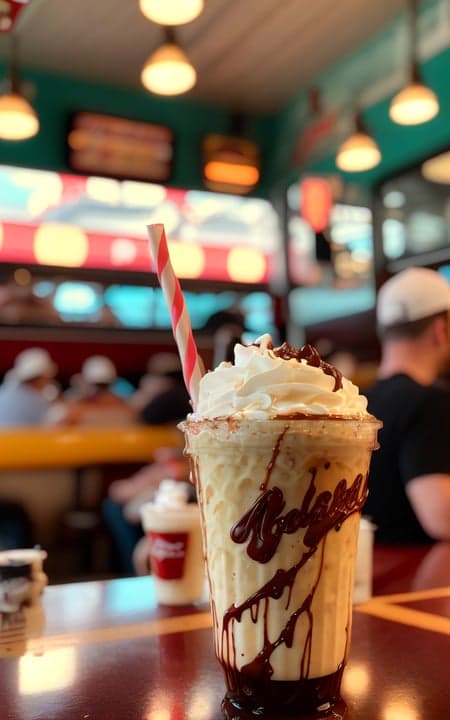
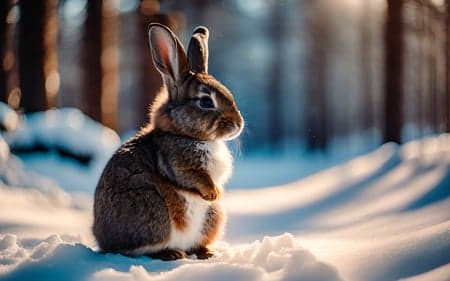

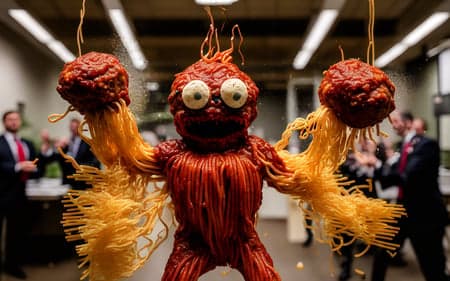

Description
This model is a tad overbaked, so you'll likely want to keep CFG at 5-6 usually. I've tried down-weighting the model, but even a small 5% dilution with SD 1.5 can be awful for a noticeable number of prompts. This is the most fun it gets, folks.
Example images generated in InvokeAI with DDIM, using high res optimization (img2img, 0.47 strength) to upscale from a low resolution. Some prompts may need closer to 40 steps to come out with the cleanest detail if you're using a different method of high res optimization than I am.
<neg-sketch-2> negative embedding for photographic images can be found here: https://huggingface.co/JPPhoto/neg-sketch-2. Works great with this model for boosting photorealism and reducing the amount of negative prompting to bring out better photos, though does occasionally have odd behavior in some prompts (e.g. interior photos and spaghetti demons in particular).
Update V1.4.5: This version tries to somewhat improve peoples' eyes and general coherence somewhat, on average. Also, it's a touch less dark. This was accomplished by building a sub-mix with similar behavior to V1.4, but with better eyes and 50% noise offset, then mixing that in at 20% and hoping for the best. Seemed to work okay. Has occasional interpolation weirdness in a few prompts.
Anime / 2D animated-optimized version here: https://civitai.com/models/35893?modelVersionId=42086
Surreal / vivid illustration mix: https://civitai.com/models/44596
My personal merge of Stable Diffusion 1.5 custom models using the noise offset to improve contrast and dark images. An inpainting model is provided to make inpainting in the model’s styles and detail easier. 'Negative' embeddings generally not recommended as they interfere with art styles and aesthetics (unless that's what you want, of course).
This model is meant to be:
Artistic and elegant
Drop-dead easy to work with
Good at making cool characters and landscapes
Not bound or leaning towards any single style
Killer at digital and conventional art in many aesthetics
And above all, fun
If your images come out a little crunchy or there's a bright blue/white artifact, turn your step count up a little, and you should be set. I normally use DDIM at 30-35 steps with high resolution optimization ON (essentially img2img upscaling, whatever the equivalent in your UI might be). In InvokeAI, I use 0.45-0.55 high res optimization strength, which is a bit lower than the default. If your results are a bit too sharp or crispy, try making sure your high-res fix strength isn't too high as well.
It’s not so great at explicit sexual content and anime*, including anime-based embeddings. There’s a million other models for those if that’s what you’re after.
*There is some ability to bring out a neat anime aesthetic when you prompt for 'anime style', which I find to be quite cool to look at, although it can be a bit finicky. If you try to make anime-esque art with this model, do not put 'portrait' in your negative prompt, or use 'close' or 'closeup' in your positive prompt, as those seem to force it into a 3d-like style even if you add more weight on the anime style.
I want to also bring attention to whosawhatsis' verisimilitude, which is great at readily making wallpaper-quality photorealistic stuff.
I also want to shoutout coreco and his seek.art MEGA v2, which was responsible for much of the composition of V1.3-V1.4, and is an excellent update to his Mega model capable of fun and artistic things and realism that this model doesn't (albeit since it's not a mix but a finetune by just one person, it takes more tinkering, but that's okay).
This model has a baked-in VAE based on Waifu Diffusion 1.4 by hakurei. You can switch this out (such as to vae-ft-mse-840000-ema-pruned) if you wish, though I used that one specifically because it helped improve detail quality in some art styles and situations.
Example images were generated in Invoke AI with the model converted to Diffusers format, hires fix on, and the sampler k_dpmpp_2 (unless listed otherwise). This means unless you use Invoke AI, you likely won't be able to recreate my images exactly. Just learn from the prompts and modify the weighting in prompts as needed for the UI you use (if you use the A1111 UI, any (plus sign)+ is equal to one set of parentheses).
By downloading, you agree to the creativeml-openrail-m and Dreamlike-art licenses.
Credits (V1.4 / V1.3.5):
Roboetic’s Mix – Roboetic
seek.art MEGA v2 – coreco
RPG V4 – Anashel
HeStyle V1.5 - krstive
Movie Diffusion - Dalle2Pictures
Analog Diffusion and Portrait+ - wavymulder
RealSciFi - AIfriend
Foto-Assisted Diffusion - Dunkindont
fantasy-art-style v1.8 - kasukanra
Vintedois Diffusion - Predogl and piEsposito
noise offset – Nicholas Guttenberg
526Mix V1.4.5
Model Details
- Type
- AI Model
- Task
- text-to-image
- Subtype
- Safetensors / Checkpoint AI Model
- Created
- Updated
- July 20, 2026